● Time tracking
Geofencing for time tracking: a practical guide for field teams
How to use geofencing and geolocation in field-team time tracking: radius per site, GPS accuracy, fake GPS detection, offline clock-ins and Brazil's LGPD.
When your team is spread across residential buildings, hospitals, stores and construction sites, knowing that an employee clocked in is not enough: you need to know they were at the right site. A geofence (cerca virtual, in Portuguese) answers that question at the moment of clock-in, but it only works well when it accounts for real GPS accuracy, fraud attempts, lack of signal and data protection rules. This article covers Brazilian legislation, including Portaria MTP nº 671/2021 and the LGPD, and shows how to set everything up in practice.
What a geofence is in time tracking
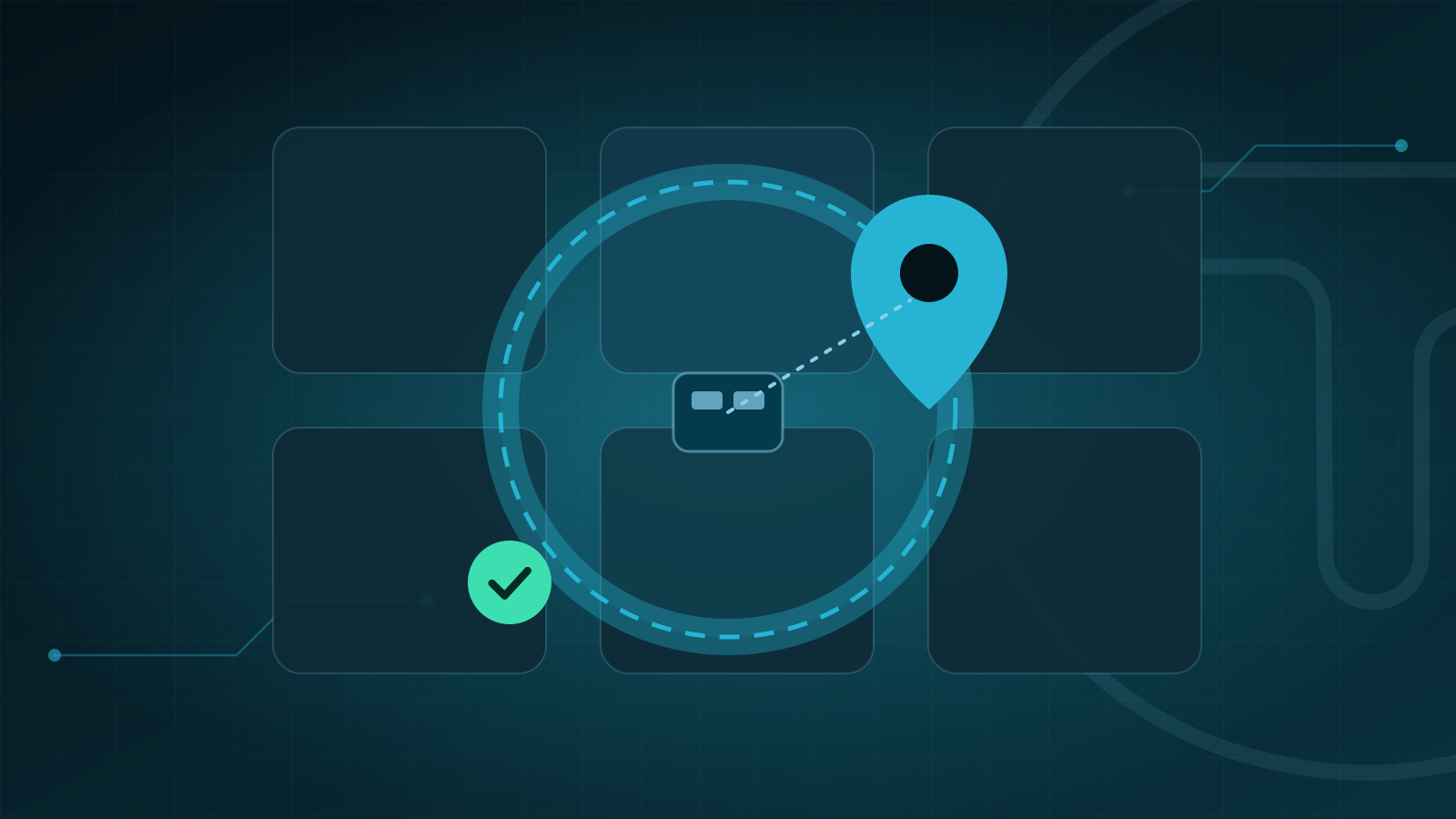
A geofence is a digital perimeter drawn around a workplace: a center point, with the site's coordinates, and a radius in meters. When an employee clocks in, the app captures the phone's position and calculates the distance to the center of the site. Inside the radius, the clock-in is confirmed on site; outside it, the system flags an exception.
An important clarification: Portaria MTP nº 671/2021, the Brazilian ordinance that regulates electronic time tracking, does not require geolocation. It requires faithful recording of clock-ins, unequivocal identification of the worker and, on the receipt of those who work externally or on third-party premises, the place where the service is provided (art. 79, IV). A geofence is a management and fraud-prevention layer on top of those obligations. The legal details are in our complete guide to Portaria 671.
How it works, step by step
- The site is registered with its address and coordinates, ideally checked on location.
- The manager sets the geofence radius for that site.
- At clock-in, the app records the location and the estimated accuracy of the reading.
- The system compares the position with the geofence: inside, outside or inconclusive, when accuracy is too low to decide.
- The clock-in is saved and, if there is an exception, flagged for review.
The reality of GPS accuracy
Phone GPS is not a measuring tape. According to GPS.gov, the official U.S. government website about the system, GPS-enabled smartphones are typically accurate to within about 4.9 meters under open sky, and accuracy worsens near buildings, bridges and trees. Indoor or underground use and signal reflections also degrade readings.
Each reading also comes with an accuracy estimate. On Android, for example, it is reported as a radius in meters at 68% confidence: there is a 68% chance that the true position is inside that circle, and therefore a real chance that it is outside.
What this means in practice:
- A radius that is too small creates false alerts, especially in dense urban areas and indoors.
- A radius that is too large becomes meaningless, because it accepts clock-ins made blocks away.
- The accuracy of each reading should weigh on the decision: an imprecise reading outside the geofence deserves different treatment from a precise one.
| Type of location | Typical challenge | Recommendation |
|---|---|---|
| Open area (parking lot, yard, construction site) | Good signal and a wide perimeter | A radius that covers the whole work area |
| Office tower or high-rise condominium | Signal reflections between buildings | A generous radius and a look at estimated accuracy |
| Shopping mall, hospital or basement | Weak or no signal indoors | Clock in at a spot with signal, or use a fixed tablet at the site |
| Patrol routes and external maintenance | The location changes during the day | Several geofences, or temporary geofences per job |
Fake GPS: how to spot simulated locations
Fake GPS apps let users feed an invented position to their phones. The operating systems themselves offer signals to detect this: on Android, a location is marked as mock when it comes from a test provider; on iOS 15 or later, there is an indicator that the position was generated by software simulation.
No single signal is foolproof, so combine layers:
- automatic flagging of locations marked as simulated;
- detection of impossible jumps, such as clock-ins in distant neighborhoods a few minutes apart;
- comparison of the estimated accuracy with the site's usual pattern;
- facial recognition with liveness detection, to make sure the person clocking in is the employee.
Treat each alert as a clue, not as proof: talk to the employee before taking any action.
Rotating sites and floating teams
Relief workers, vacation cover and supervisors who move between clients are routine in outsourcing, and a fixed geofence per person cannot handle that. The answer is to tie the geofence to the site, not to the employee, and to cross-check each clock-in against that day's schedule. The question stops being "was this person inside their geofence?" and becomes "was this person at the site they were scheduled for on this shift?". For patrol rounds and one-off services, consider specific geofences for each checkpoint or job.
In TIRVU+, geofences are configured per site, and sites, contracts and schedules live on the same platform, which makes it easier to check who should be where.
No signal? Offline clock-ins with the original time
Basements, rural areas and carrier outages are part of field work. Portaria 671 states that clock-ins on a REP-P (registrador eletrônico de ponto via programa, the software-based time recorder) must come from online collectors, exceptionally allowing offline clock-ins, which must be sent as soon as the collector reconnects (Annex IX, items 4 and 5). The record stores the date and time of the clock-in separately from the date and time it was saved, along with the collector's ID and a hash code (Annex IX, item 10). On top of that, the official layout of the AFD, the source data file delivered to inspectors, flags each clock-in as online or offline. According to the official Q&A from Brazil's Ministry of Labor and Employment, offline clock-in is not mandatory for a REP-P, but for field teams it makes a big difference.
In TIRVU+, employees can clock in without internet access; the record syncs later and keeps the original clock-in time.
Best practices for offline mode:
- flag offline clock-ins on the dashboard to make audits easier;
- review with extra care those that arrive very late;
- keep the location captured at the time of the clock-in, when available, rather than the one at the time of sync.
Block or flag clock-ins outside the geofence?
This is the most important configuration decision. Portaria 671 does not address geofencing, but it requires the system to faithfully record clock-ins, with no action that distorts its legal purpose (art. 74), and it provides for the seizure of documents and equipment when "parametrizações e bloqueios na marcação" (settings and blocks on clocking in) are found (art. 98). That is why the most prudent approach tends to be not preventing the record, but treating it as an exception. Validate this decision with your legal team.
| Approach | How it works | Advantage | Watch out for |
|---|---|---|---|
| Block the clock-in | The app prevents recording outside the radius | Simplicity | Actual working time may go unrecorded, which may conflict with the duty to record faithfully |
| Record and flag | The clock-in is saved with an alert | Preserves the record and creates an audit trail | Requires a routine to review alerts |
| Record with a justification | The employee states the reason when clocking in outside the geofence | Gives the manager immediate context | Justifications need to be reviewed |
LGPD: location is personal data too
A location linked to an identified employee is personal data under the LGPD (Lei Geral de Proteção de Dados, Brazil's data protection law, art. 5, I), and Portaria 671 itself requires employers and companies involved in processing to comply with the LGPD (art. 101). The principles that matter most here:
- Purpose and adequacy (art. 6, I and II): location is used to validate the clock-in. Using it for anything else requires a new assessment.
- Necessity (art. 6, III): collect the position at the moment of clock-in, not throughout the day. Continuous tracking would be a different purpose, with a different justification.
- Transparency (arts. 6, VI, and 9): clearly tell employees what is collected, when, for how long, with whom it is shared, including the client through a client portal, and what their rights are.
- Security (arts. 6, VII, and 46): restrict who can see maps and coordinates, and log access.
Define and document the legal basis for processing (art. 7) with your data protection officer (encarregado) and legal team. If you rely on legitimate interest, the LGPD requires processing only strictly necessary data and adopting transparency measures (art. 10, §§ 1 and 2), and keeping records of processing operations becomes even more important (art. 37). Also set a retention period consistent with the purpose (arts. 15 and 16).
Geofence setup checklist
- Verify each site's coordinates on location.
- Set the radius by type of location, considering the accuracy you observe.
- Choose the policy for clock-ins outside the geofence: flag, require a justification, or both.
- Register exceptions: external services, cover shifts, patrol rounds and events.
- Set up manager alerts: outside the geofence, simulated location, low accuracy and offline clock-in.
- Define who reviews alerts and how quickly.
- Communicate the policy to employees and train team leaders.
- Document the legal basis, retention and access control for location data.
- Run a pilot at representative sites and fine-tune the radii based on the data.
Frequently asked questions
Does Brazil's Portaria 671 require geolocation for time tracking?
No. Portaria MTP nº 671/2021 requires faithful recording of clock-ins, unequivocal identification of the worker and, on the receipt of those who work externally or on third-party premises, the place where the service is provided (art. 79, IV). A geofence is a management and fraud-prevention layer on top of those obligations.
What happens if an employee clocks in outside the geofence?
It depends on the policy you choose, but the most prudent approach tends to be saving the clock-in and flagging it as an exception rather than blocking it, since Portaria 671 requires faithful recording (art. 74) and provides for seizure when "parametrizações e bloqueios na marcação" (settings and blocks on clocking in) are found (art. 98). Validate this decision with your legal team, and treat each alert as a clue rather than proof, talking to the employee before taking any action.
Does a geofence track an employee's location all day?
No. The position is captured at the moment of clock-in to validate it, and the LGPD's necessity principle (art. 6, III) calls for collecting it only then, not throughout the day. Continuous tracking would be a different purpose, with a different justification.
Conclusion
A well-configured geofence reduces fraud and attendance disputes without creating friction for people who work properly. The secret lies in three choices: a radius that matches GPS reality, flagging instead of blind blocking, and full transparency with employees.
Want to see per-site geofencing and offline clock-in from TIRVU+ working in your operation? Talk to the Tirvu team or check our pricing.
Sources
- MTE: Portaria MTP nº 671/2021, consolidated text as of Jul 21, 2026
- Planalto: Lei nº 13.709/2018, Brazil's data protection law (LGPD)
- GPS.gov: GPS accuracy
- Android Developers: Location class (accuracy and mock locations)
- Apple Developer: isSimulatedBySoftware (simulated locations on iOS)
This content is for informational purposes only and does not replace specialized legal advice.
- #geofencing
- #geolocation
- #field teams
- #time tracking
- #LGPD
Want to see this in action in your operation?
Talk to a specialist and get a demo built around your company's scenario.